
- Barcoding
- Printing
- Mobile Computing
- RFID
- POS Equipment
- Wireless
- Brands
- 1-800-485-3730
Navigation
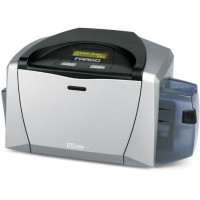
Additional Information
| Interfaces | USB |
|---|---|
| Manufacturer | No |
| Model Name | DTC400 |
| Product Condition | No |
 DTC400 Specs
General Information
- Product Type: Software
- Brand Name: Punch!
- Packing: Small Box
- Manufacturer: Punch Software
- Product Name: Home Design Architectural Series 18
- Package Type: Retail
- Distribution Media/Method: CD-ROM
Product Information
- Software Main Type: Design & Engineering
- Features: <br>Video ToolTips <br>Elevation Editor <br>Convert-2-3D <br>DXF File Import Made easy <br>Layout Manager <br>Finally an easy tool to create the perfect presentation printouts of your design. Add multiple 2D/3D views of your plan to customize the page any combination to fit your project needs. Print a page with front/side/top views, or maybe a page with all of the custom bathrooms in your plan. Show 2D information and rendered images on the same page, then output to your printer or plotter. <br> <br>Punch! PowerTools and the Punch! Developer's Network: <br>Architectural Series 18 is enhanced with PowerTools technology. A Punch! PowerTool is an accessory application that integrates with Punch! software to enhance/extend its capabilities. The Punch! Developer Network is a program for developers that wish to create PowerTools for you, our users. As Punch! PowerTools become available, they will be downloadable from here so check back with us. Punch! PowerTools will be coming soon. <br> <br>Enhanced Lighting Tools: <br>Add illuminated lighting to your design and watch as the "glow" from each light source adds realism. Add individual light sources to fixture lights, recessed lights, floodlights--even outdoor lighting. Individually turn lights on/off and use the dimmer switch to control brightness. <br> <br>Enhanced Estimating: <br>Estimate your home design project! Estimate framing, roofing and roofing squares, wall and floor covering, decking, doors/windows and more. Automatically creates landscape estimates and pavers/concrete. The estimate is broken down by schedules and multiple price lists can be created for different material sources. <br> <br>Cabinet Wizard: <br>Custom cabinet design with just a few simple mouse clicks. Select a style, enter the dimensions, number of drawers, decide on details such as backsplashes, kick panels, etc and Cabinet Wizard automatically generates your custom cabinetry for baths, kitchens or any room you've designed. <br> <br>Texture Builder: <br>Edit any texture from our extensive library, then save it as a new texture in the program. Change color, tint and/or scale of stone, siding, brick and more. Add your customized textures for a truly personalized look. <br> <br>PhotoView® (patented): <br>Now you can add real-world photos to your virtual design with PhotoView. This breakthrough technology lets you add digital images to your designs. You can import a photo of your own home, add landscaping or a deck, then view it from any angle -- with realistic, 3D perspective. Place a scanned photo of doors, windows, pets, even add your children to the backyard! <br> <br>Master Landscape: <br>When you're ready to landscape, just add your plantings to your existing file. Punch! lets you landscape without redrawing your house plan unlike some other home design software "suites". You'll see beautiful results rendered in realistic 3D! Create retaining walls and other topographic features.You can even design a custom sprinkler system for your property! New excavation and enhanced topography tools let you carve your property for custom slopes, walk-out basements, retaining walls and more. <br> <br>HVAC, Electrical, Foundation and Plumbing Planners: <br>These professional tools work in layers just like blueprints...only better. You can toggle between different mechanical plans to combine any or all...to easily detect conflicts or maximize the effectiveness of your mechanical design. "Smart" objects such as bath fixtures and electrical outlets automatically move with walls as you edit your floorplan, eliminating the need for repositioning should you change your design. <br> <br>PlantFinder: <br>Benefit from the power of a user-definable database that can actually find the perfect plantings for your planting zone, based on your search criteria. Over 2,000 selections of flowers, shrubs, trees, ornamental grasses, gro
- Software Name: Home Design Architectural Series 18
- Software Sub Type: Architectural
- Platform Supported: PC
Other
- Compatibility:
- PC
- PC
- System Requirements:
- Intel Pentium Celeron or Athlon Processor
- Win 95 or Higher
- 64MB RAM
- 900MB Hard Drive Space
- VGA Video Card Set at 800x600 res & 16 Bit Color
- CD-Rom
- Mouse or Other Pointing Device
- For Win 2000 Users 32MB Min Video Card Memory
License Information
- License Quantity: 1 User
- License Pricing: Standard
- License Type: Complete Product
Recommended Accessories for Model: Fargo DTC400 ID Card Printer
-

Fargo Accessories Accessory
Part #: 2798 | SKU: 1434806 ft. Parallel printer cable. Replaces (Part# PCM-1100-06).Price: $17.99 -
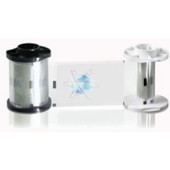
Fargo DTC Series Laminate and Film
Part #: 82604 | SKU: 46579(1.0 Mil, High Secure Orbit Design, 250 Count)Price: $179.00 -
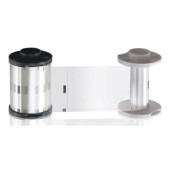
Fargo DTC Series Laminate and Film
Part #: 82600 | SKU: 46576(0.6 Mil, Overlaminate Clear, 250 Count)$96.00 -
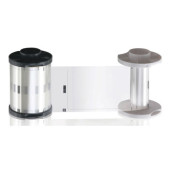
Fargo DTC Series Laminate and Film
Part #: 82601 | SKU: FAR46577(1.0 Mil, Overlaminate Clear, 250 Count)$96.00 -
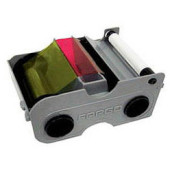
Fargo Persona C30e ID Card Ribbon
Part #: 44200 | SKU: 24848DTC Ribbon (YMCKO - 250 Images, with Clean Roller - with Clear Overlay)Price: $168.00
Recommended Labels for Model: Fargo DTC400 ID Card Printer
-
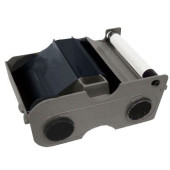
Fargo DTC1000 ID Card Ribbon
Part #: 45101 | SKU: 102423EZ Premium Black (K) Cartridge with Cleaning Roller 1000 images. Compatible with DTC400, DTC1000, DTC4000, C50, DTC1000Me, DTC 1250e, and DTC4250e. This part is also known as 045101.Price: $61.00 -
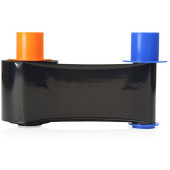
Fargo DTC1000 ID Card Ribbon
Part #: 45113 | SKU: 102432Black monochrome (KO) EZ-BO Cartridge with Cleaning Roller, 500 images. The ribbon is used to print black (K) text or images on the front of the card. The remaining overlay (O) provides an extra layer of protection for the card. Compatible with DTC400, DTC1000, DTC4000, C50, DTC1250e, DTC4250e. This part is also known as 045113.Price: $108.07 -
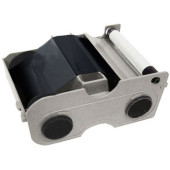
Fargo DTC1250e ID Card Ribbon
Part #: 45102 | SKU: 102424Standard Black (K) EZ Cartridge with Cleaning Roller, 1000 images per roll. The ribbon is used to print in one monochrome color: black. This ribbon is used to print text and one-color images one or both sides of the card. Compatible with DTC400, DTC1000, DTC4000, C50, DTC1000Me, DTC1250e, and DTC4250e. This part is also known as 045102.$35.25 -
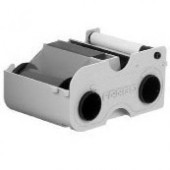
Fargo DTC400e ID Card Ribbon
Part #: 44231 | SKU: 86160Premium Black (K) Cartridge with Cleaning Roller 1000 images. Compatible with DTC400Price: $76.00 -

Fargo DTC400e ID Card Ribbon
Part #: 44259 | SKU: 86165YMCKO Half Panel Refill Ribbon w/Cleaning Roller: Full-color ribbon with resin black and clear overlay panel - 350 images. Compatible with DTC400Price: $85.25
- Industry Leader
- In business over 20 years
- Thousands of satisfied customers
- Unmatched Expertise
- Trained barcode experts
- Manufacturer certified
- Superior Service
- Same day shipping
- Easy returns